Everyday screens
Bring forward real tasks involving the TV, laptop and car: finding the right content, coordinating information across services, or carrying a journey forward without adding more screen work.

THE WEB SHOULD DO MORE THAN SHOW YOU THINGS
You already know how to swear at your screens. It’s time they started doing something useful.
Swear on it. Not at it.
See what changes ↓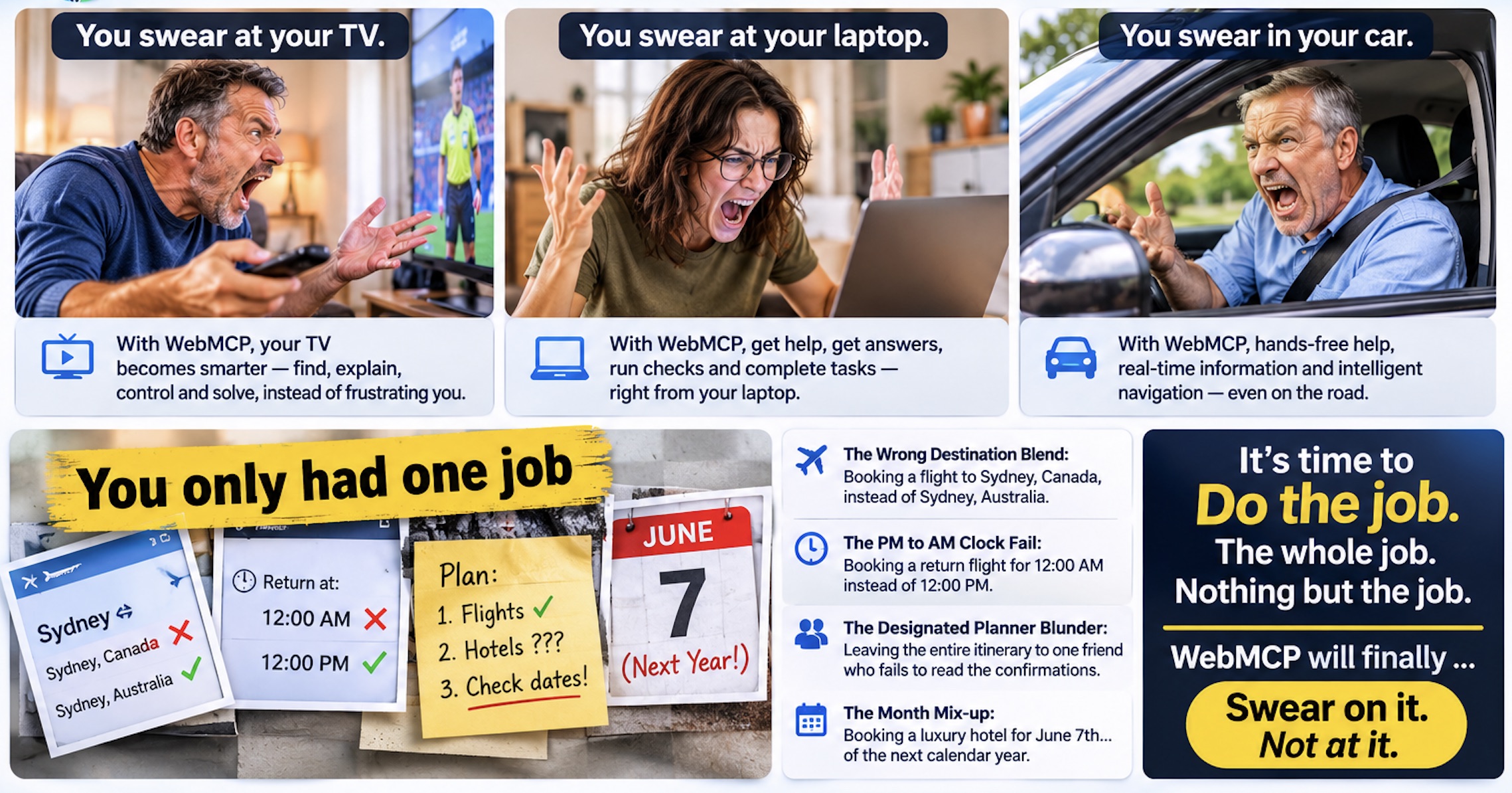
A DIFFERENT KIND OF WEB
WebMCP gives websites a way to expose useful actions to AI agents through the browser. MCP connects assistants to the tools and services they need. Together, they can move beyond answers and links — into useful, permissioned action.
CHROME WEBMCP ORIGIN TRIAL
We’re participating in the Chrome WebMCP Origin Trial across multiple origins, including web.mcp-native.com and SYNAL. We’re testing practical, real-world use cases across both sites and sharing what we learn.
Origin Trial registration is confirmed for both origins.
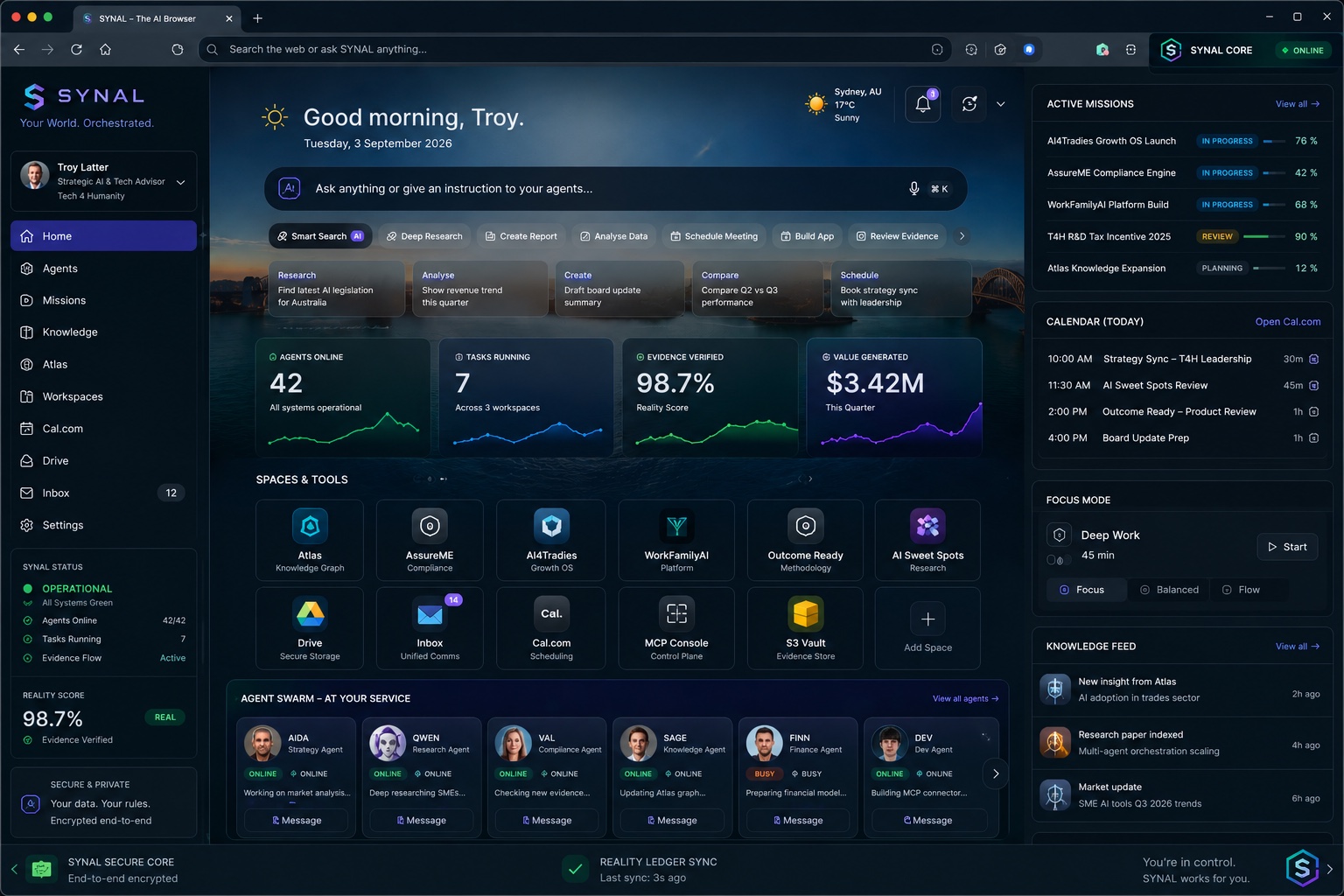 Explore the SYNAL homepage ↗
Bring forward real tasks involving the TV, laptop and car: finding the right content, coordinating information across services, or carrying a journey forward without adding more screen work.
Show us the hand-offs that make ordinary work harder than it should be: research, comparing options, preparing forms, coordinating messages and updating records. Consequential actions stay with the person for approval.
Explore how an assistant can help people prepare, remember preferences, understand timings and keep their plans together, while the official provider retains control of authentication, queue, inventory and checkout.
THE PRODUCT FAMILY
These are distinct products with distinct jobs. They work together where the user's task needs them.
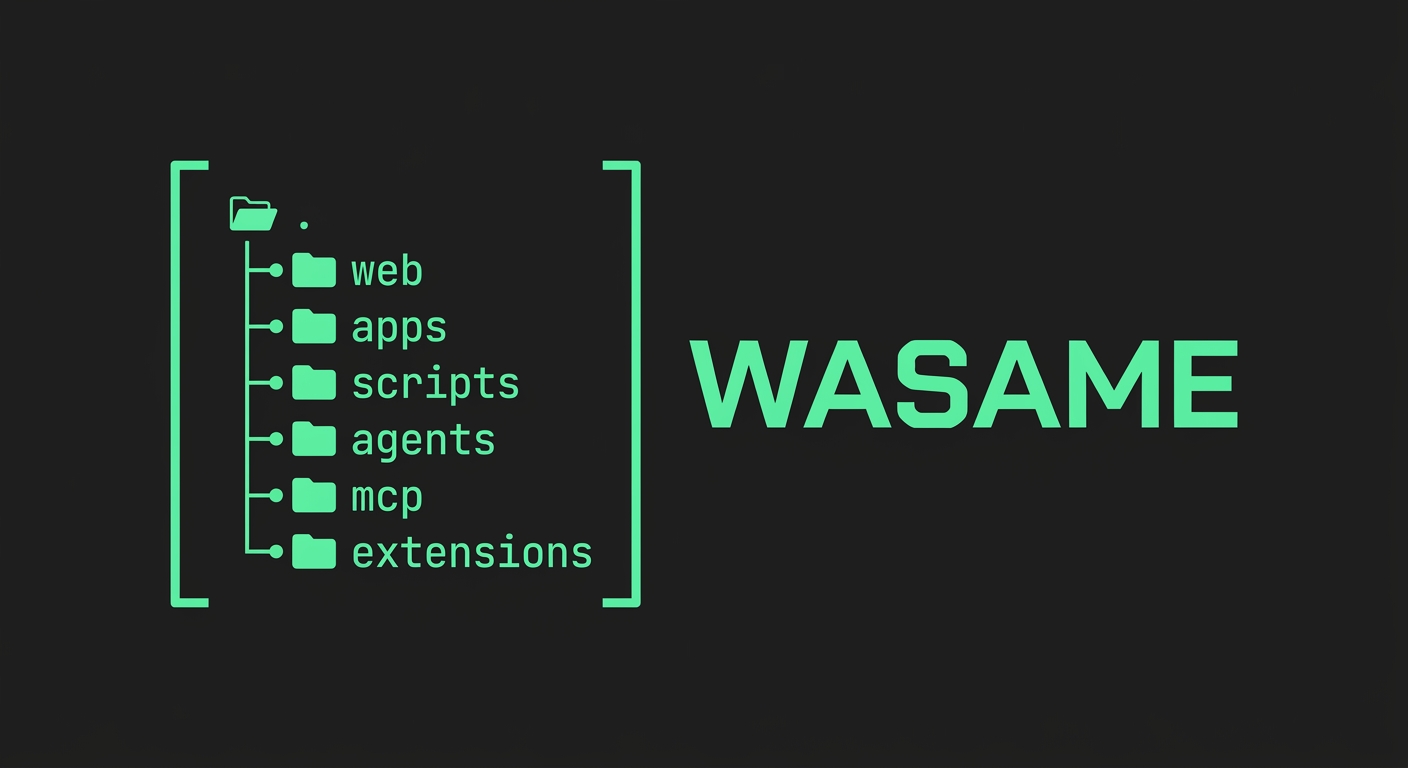
Browser and agent connectivity
WASAME is the browser and agent connectivity layer: it brings tool discovery, website actions, MCP connectivity and task orchestration into one working environment. It is designed to keep the user’s current task and relevant browser context together.
Current state: active development; browser workbench and connectivity capabilities are being consolidated.
Explore the WASAME workbench ↗
Zero-Knowledge Utility Hub
Zkuh is a privacy-first gateway for intake, extraction, assessment, routing, authorised action and lifecycle evidence. Its current browser prototype uses local records and local evidence hashes; remote identity, signed receipts and shared integrations are not yet proven.
Current state: local browser prototype
Open the Zkuh utility hub ↗Four levels of assistance
Q4+More defines four assistance modes: Complete, Explore, Execute and Orchestrate. The current repository is a prototype and validation baseline. Production orchestration, model execution and commercial pricing are not yet established.
Current state: prototype and validation baseline
WebMCP is the browser-facing capability layer. MCP connects tools and services. WASAME, Zkuh and Q4+More are product experiences built around useful outcomes, not competing protocols.
FROM FRICTION TO OUTCOME
Process demonstrations should make the improvement obvious, not just show another screen.
People become the integration layer. Context gets lost, actions are repeated and nobody can easily see what happened.
WASAME brings the task into context. Q4+More supplies the selected intelligence. Zkuh makes permission and evidence inspectable.
THE WOW MOMENT
A capability is discovered, its permission boundary is visible, the user approves the consequential step, and the result is returned with evidence. No silent action. No invented success.
These are process storyboards, not recordings of live third-party integrations. The public WebMCP Lab explains the browser capability and experiment evidence; it does not claim that the WASAME, Zkuh and Q4+More end-to-end journey is already integrated.
SEE IT WORK
Start with the browser-native walkthrough, then see a practical agent-led shopping journey.
GOOGLE · CHROME FOR DEVELOPERS
See declarative and imperative tools, browser-agent integration and Chrome DevTools inspection.
INDEPENDENT DEMONSTRATION
A third-party walkthrough showing an agent comparing products, checking fit and working through a cart.
THE PROMISE
Not just the words you typed — the outcome you are trying to reach.
Reach actions exposed by websites and connected services, with clear boundaries.
Coordinate the steps, preserve context and tell you what happened.
Ask before purchases, submissions, messages or other consequential actions.
Do the job. The whole job. Nothing but the job.
Swear on it. Not at it.
THREE EVERYDAY SCREENS

01 / THE LIVING ROOM
WebMCP can make the TV experience something you can actually ask for.
What it can do depends on the TV, browser, streaming service and the actions they expose. Where the TV browser cannot host an agent, a phone or other companion device can be the control point.

02 / THE DESK
MCP can connect the assistant to the apps, files and services needed to finish the work.
The connected service controls what tools are available. Access is permissioned; sensitive or irreversible steps should require your confirmation.

03 / ON THE ROAD
MCP can bring useful services into the journey — without turning driving into another screen task.
In-car capabilities depend on vehicle and phone integrations. Keep interactions hands-free; anything complex, visual or requiring confirmation waits until safely parked.
THE UNIVERSAL HUMAN MOMENT
And somehow the details still managed to escape.
 ONE JOB.
THE WRONG DESTINATION BLEND
Not Sydney, Australia. Same city name. Entirely different trip.
A WebMCP-enabled travel site could expose a destination-check tool that returns the selected city, country, airport and dates as structured data. The assistant can read those fields back to you and ask for confirmation before it opens the booking step. It cannot silently decide which Sydney you meant. CHECK THE TIME.
THE PM TO AM CLOCK FAIL
The return flight leaves at midnight. You read midday, went to sleep, and missed it.
A booking site could expose the itinerary time with an explicit date, local time zone and AM/PM value. The assistant can compare the outbound and return legs, identify a midnight departure and show the exact local time before you confirm. That is more useful than hoping someone notices a tiny label. WHO BOOKED IT?
THE DESIGNATED PLANNER BLUNDER
The whole itinerary sits with one friend who never reads the confirmations.
A travel provider or itinerary service could expose tools to add a confirmed booking, retrieve its status and share the verified details with the trip group. The assistant can show who has booked what and which confirmations are still missing. Sending invitations or changing a booking would still require the right permission and your approval. WRONG YEAR.
THE MONTH MIX-UP
A luxury hotel is booked for June 7 — of the next calendar year.
A hotel or travel site could expose an availability and booking-summary tool that returns the complete date, including the year, in a machine-readable field. The assistant can compare the requested dates with the provider’s returned dates and flag a year mismatch before checkout. The provider remains the source of truth for availability and the final reservation.
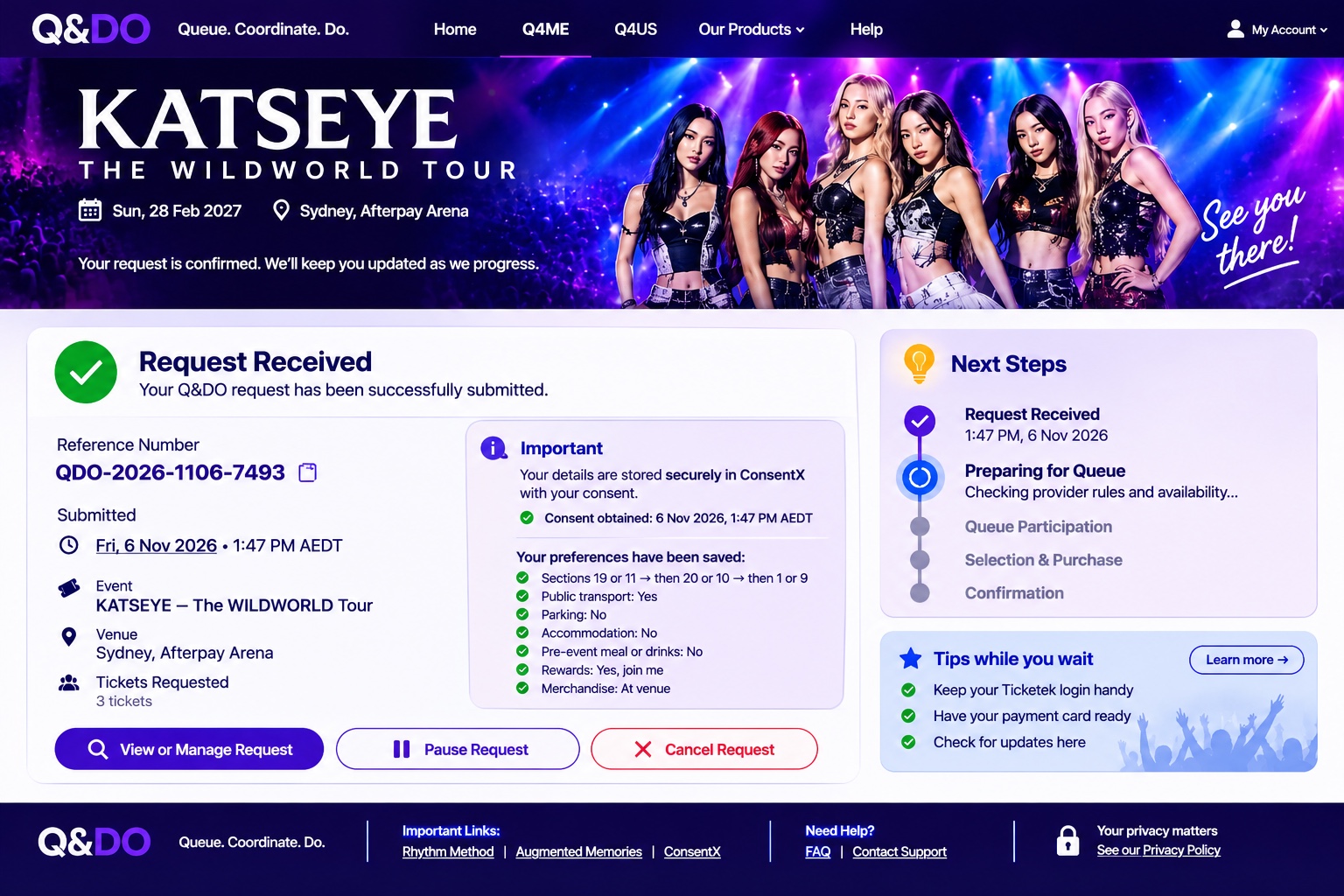
A PRACTICAL EXAMPLE · EVENTS AND TICKETING
Q&DO illustrates a customer outcome: helping someone prepare for an official ticket release, record their preferences, keep important timings visible and organise what happens next.
It is an independent initiative, not a Tech 4 Humanity product. The ticketing provider remains in control of its queue, ticket inventory, authentication and checkout. Q&DO does not bypass the queue, purchase tickets or promise availability.
The customer completes any ticket selection and payment directly with the official seller. The example is about preparation and coordination around the process, not taking control of it.
Want to use Q&DO? Get in touch. ↗LESS SHOUTING. MORE DOING.
Not another link. Not another dead end. A connected web that can help complete the task — transparently, safely and with you in control.
Do the job. The whole job. Nothing but the job.
Swear on it. Not at it.
Let’s make it work →
 ON THE RECORD